Standard libraries
7 libraries, 145 ready-made equipment types with pictures, variables and panels. They are built into the server, always at hand in the Library column and are placed on a window with a double-click or by dragging.
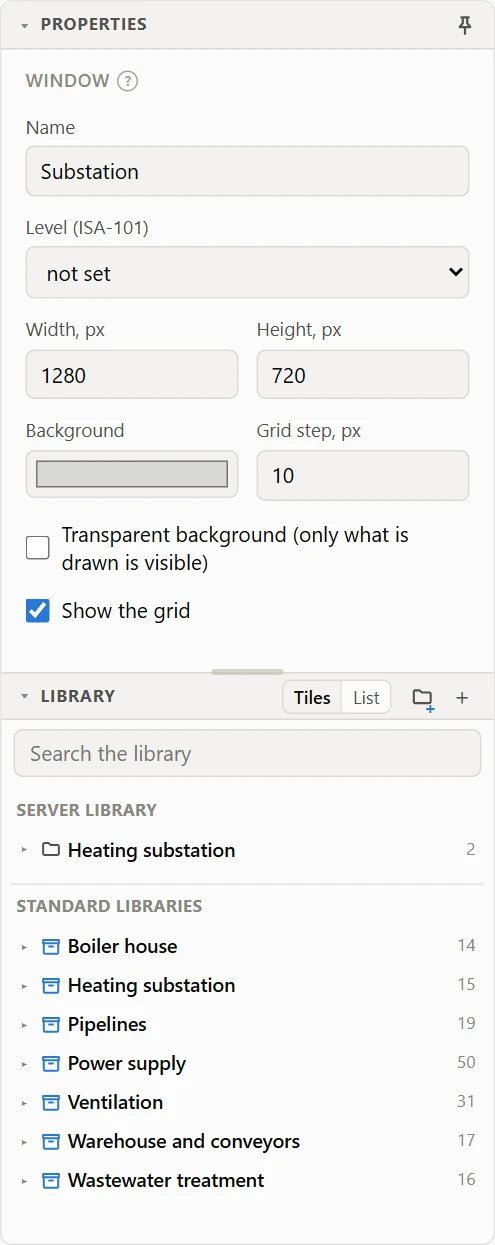
How to use them
- Place on a window — double-click a tile or drag it onto the canvas: a project object of this type appears together with its symbol on the window.
- Tiles / List — the library view; the search looks through names and descriptions of all libraries.
- Docking: unit sections, pipes and fittings dock end to end — the nozzles are at one height (the pipe axis is at 80 px in a 120 px row), and the “Pipe” tool continues them.
- Your own type based on a standard one — right-click a type (folder, whole library) → Copy to the server library (to edit it): the copy can be edited.
- Language — names, descriptions, units and the labels on the pictures are shown in the interface language. A type placed into a project is copied to the server library in the language of the person who placed it; variable names (
Run,Freq,Fault…) are the same in every language — bindings and programs use them.
Below are all types with their variables. Click “Variables” to see what to bind: the name, the IEC 61131-3 type, units and meaning.
Boiler house
Hot-water and steam boilers (nozzles on the frame edge, 120 apart), burner, flue gas fan, air fan, chimney, network pump, deaerator, water treatment, tanks, gas regulator unit and gas valve (bricks, axis y = 80), detectors and control panel. Types: 14.
Boilers and burners
Hot-water boiler with a burner: supply — top right (240, 40), return — bottom right (240, 160), gas — from below (20, 200); the flame follows the load (three stages), flow when running, temperatures and load on the display; “!” — fault. Default values are the running mode (the object is animated right away); bind the variables to tags to show live data.
Variables: 5
Run | BOOL | Running |
Load | REAL, % | Burner load |
Tsup | REAL, °C | Supply temperature |
Tret | REAL, °C | Return temperature |
Fault | BOOL | Fault |
Steam boiler: steam — up (120, 0), feed water — on the right (240, 160), gas — from below (40, 200); the flame follows the load, steam above the outlet when running, the gauge glass shows the level, pressure and level on the display; “!” — fault. Default values are the running mode (the object is animated right away); bind the variables to tags to show live data.
Variables: 5
Run | BOOL | Running |
Load | REAL, % | Burner load |
P | REAL, bar | Steam pressure |
Level | REAL, % | Drum level |
Fault | BOOL | Fault |
Forced-draught gas burner: gas — from below (60, 120); when running the fan turns, the flame burns at the outlet and gas flows, the lamp is green, load on the display; “!” — flame failure. Default values are the running mode (the object is animated right away); bind the variables to tags to show live data.
Variables: 3
Run | BOOL | Running |
Load | REAL, % | Load |
Fault | BOOL | Flame failure |
Fans and pumps
Flue gas fan: flue duct up (100…140, 0); the impeller turns when running, the lamp is green, frequency on the display; “!” — fault. Default values are the running mode (the object is animated right away); bind the variables to tags to show live data.
Variables: 3
Run | BOOL | Running |
Freq | REAL, Hz | Frequency |
Fault | BOOL | Fault |
Forced-draught fan: air duct up (100…140, 0); the impeller turns when running, the lamp is green, frequency on the display; “!” — fault. Default values are the running mode (the object is animated right away); bind the variables to tags to show live data.
Variables: 3
Run | BOOL | Running |
Freq | REAL, Hz | Frequency |
Fault | BOOL | Fault |
Network pump: suction on the left on the row axis (0, 80), discharge up (60, 0); when running the impeller turns and water flows, the lamp is green; “!” — fault. Default values are the running mode (the object is animated right away); bind the variables to tags to show live data.
Variables: 2
Run | BOOL | Running |
Fault | BOOL | Fault |
Chimney: smoke when the boilers are running, the obstruction light is on. Default values are the running mode (the object is animated right away); bind the variables to tags to show live data.
Variables: 2
Run | BOOL | Boilers running |
Light | BOOL | Obstruction light |
Water treatment and tanks
Atmospheric deaerator: water into the column — on the left (0, 40), outlet — from below (60, 180); level in segments, vent steam when running, pressure and temperature on the display. Default values are the running mode (the object is animated right away); bind the variables to tags to show live data.
Variables: 4
Run | BOOL | Running |
Level | REAL, % | Level |
P | REAL, bar | Pressure |
T | REAL, °C | Temperature |
Na-cation filter: inlet — top left (0, 40), outlet — bottom left (0, 160); flow and the “run” lamp when running, a yellow band and lamp during regeneration. Default values are the running mode (the object is animated right away); bind the variables to tags to show live data.
Variables: 2
Work | BOOL | Filter running |
Regen | BOOL | Regeneration |
Water storage tank: inlet — on the left (0, 40), outlet — on the right (140, 160); level in segments and on the display, flow when there is flow. Default values are the running mode (the object is animated right away); bind the variables to tags to show live data.
Variables: 2
Level | REAL, % | Level |
Flow | BOOL | Flow present |
Gas equipment and control panel
Gas pressure regulating unit: SSV green — open, red — closed; gas flows when it is open; pressure before and after the regulator on the display; “!” — fault. Pipeline brick: pipe axis y = 80, the pipe runs from edge to edge. Default values are the running mode (the object is animated right away); bind the variables to tags to show live data.
Variables: 4
Open | BOOL | SSV open |
Pin | REAL, kPa | Inlet pressure |
Pout | REAL, kPa | Outlet pressure |
Fault | BOOL | Fault |
Solenoid valve: body green — open, red — closed; gas flows when it is open. Pipeline brick: pipe axis y = 80, the pipe runs from edge to edge. Default values are the running mode (the object is animated right away); bind the variables to tags to show live data.
Variables: 1
Open | BOOL | Open |
CO and methane detector: values on the display, the lamp turns red above the threshold (CO > 20 mg/m³, CH₄ > 10 % LEL). Default values are the running mode (the object is animated right away); bind the variables to tags to show live data.
Variables: 2
CO | REAL, mg/m³ | Carbon monoxide |
CH4 | REAL, % LEL | Methane |
Boiler control panel: supply temperature, “run” and “gas” lamps (green) and “fault” (red). Default values are the running mode (the object is animated right away); bind the variables to tags to show live data.
Variables: 4
Tsup | REAL, °C | Supply temperature |
Run | BOOL | Running |
Gas | BOOL | Gas on |
Fault | BOOL | Fault |
Heating substation
Building heating substation: heat exchanger (two pipes on the left, two on the right), hot water tank, pumps, valves, instruments — pipeline bricks (axis y = 80) — and the control cabinet. Bends — “Pipelines”, the route — the “Pipe” tool (U). Types: 15.
Heat exchangers and tanks
Plate heat exchanger: the heating circuit on the left (T1 supply — top, T2 return — bottom), the heated one on the right (T3 outlet — top, T4 inlet — bottom); pipes at y = 40 and 160 (120 apart — two rows of bricks); flow while circulating. Default values are the running mode (the object is animated right away); bind the variables to tags to show live data.
Variables: 5
T1 | REAL, °C | Primary supply |
T2 | REAL, °C | Primary return |
T3 | REAL, °C | Secondary outlet |
T4 | REAL, °C | Secondary inlet |
Flow | BOOL | Circulating |
Indirect hot water tank: the coil on the left (supply — y 80, return — y 200), domestic hot water on the right (hot — y 80, cold — y 200); the coil is red while heating, temperature on the display, flow while water is drawn. Default values are the running mode (the object is animated right away); bind the variables to tags to show live data.
Variables: 3
T | REAL, °C | DHW temperature |
Heating | BOOL | Heating |
Draw | BOOL | Water draw-off |
Diaphragm expansion tank: nozzle at the bottom (40, 160), pressure on the display. Default values are the running mode (the object is animated right away); bind the variables to tags to show live data.
Variables: 1
P | REAL, bar | Pressure |
Pumps
In-line circulation pump: when running the impeller turns and water flows, the lamp is green, frequency on the display; “!” — fault. Pipeline brick: pipe axis y = 80, the pipe runs from edge to edge — place it right next to its neighbours at the same height. Default values are the running mode (the object is animated right away); bind the variables to tags to show live data.
Variables: 3
Run | BOOL | Running |
Freq | REAL, Hz | Frequency |
Fault | BOOL | Fault |
End-suction pump: suction on the left on the row axis (0, 80), discharge up (60, 0); when running the impeller turns and water flows, the lamp is green; “!” — fault. Default values are the running mode (the object is animated right away); bind the variables to tags to show live data.
Variables: 2
Run | BOOL | Running |
Fault | BOOL | Fault |
Valves
Globe valve with an electric actuator: the body is green when open (> 5 %), flow when open, position on the display; “!” — actuator fault. Pipeline brick: pipe axis y = 80, the pipe runs from edge to edge — place it right next to its neighbours at the same height. Default values are the running mode (the object is animated right away); bind the variables to tags to show live data.
Variables: 2
Position | REAL, % | Position |
Fault | BOOL | Actuator fault |
Ball valve with an electric actuator: ball along the pipe with flow — open, across — closed; green lamp — open; “!” — actuator fault. Pipeline brick: pipe axis y = 80, the pipe runs from edge to edge — place it right next to its neighbours at the same height. Default values are the running mode (the object is animated right away); bind the variables to tags to show live data.
Variables: 2
Open | BOOL | Open |
Fault | BOOL | Actuator fault |
Check valve: flow when there is flow. Pipeline brick: pipe axis y = 80, the pipe runs from edge to edge — place it right next to its neighbours at the same height. Default values are the running mode (the object is animated right away); bind the variables to tags to show live data.
Variables: 1
Flow | BOOL | Flow present |
Strainer: yellow screen and “!” — clogged, pressure drop on the display, flow when there is flow. Pipeline brick: pipe axis y = 80, the pipe runs from edge to edge — place it right next to its neighbours at the same height. Default values are the running mode (the object is animated right away); bind the variables to tags to show live data.
Variables: 3
dP | REAL, bar | Pressure drop |
Dirty | BOOL | Clogged |
Flow | BOOL | Flow present |
Instruments and controls
Pressure gauge 0…16 bar on a pipe: the needle and the value follow the pressure, flow when there is flow. Pipeline brick: pipe axis y = 80, the pipe runs from edge to edge — place it right next to its neighbours at the same height. Default values are the running mode (the object is animated right away); bind the variables to tags to show live data.
Variables: 2
P | REAL, bar | Pressure |
Flow | BOOL | Flow present |
Thermometer 0…150 °C on a pipe: the column and the value follow the temperature, flow when there is flow. Pipeline brick: pipe axis y = 80, the pipe runs from edge to edge — place it right next to its neighbours at the same height. Default values are the running mode (the object is animated right away); bind the variables to tags to show live data.
Variables: 2
T | REAL, °C | Temperature |
Flow | BOOL | Flow present |
Immersion temperature sensor on a pipe: the value is on the display below the pipe. Pipeline brick: pipe axis y = 80, the pipe runs from edge to edge — place it right next to its neighbours at the same height. Default values are the running mode (the object is animated right away); bind the variables to tags to show live data.
Variables: 2
T | REAL, °C | Temperature |
Flow | BOOL | Flow present |
Pressure sensor on a pipe: the value is on its display. Pipeline brick: pipe axis y = 80, the pipe runs from edge to edge — place it right next to its neighbours at the same height. Default values are the running mode (the object is animated right away); bind the variables to tags to show live data.
Variables: 2
P | REAL, bar | Pressure |
Flow | BOOL | Flow present |
Flow meter on a pipe with a heat calculator: power Q, flow rate G, energy W, a link lamp; flow when the flow rate > 0. Pipeline brick: pipe axis y = 80, the pipe runs from edge to edge — place it right next to its neighbours at the same height. Default values are the running mode (the object is animated right away); bind the variables to tags to show live data.
Variables: 4
Q | REAL, Gcal/h | Heat output |
G | REAL, m³/h | Flow rate |
W | REAL, Gcal | Heat energy |
Link | BOOL | Link |
Control cabinet: outdoor and supply temperatures, “auto” and “pumps” lamps (green) and “fault” (red). Default values are the running mode (the object is animated right away); bind the variables to tags to show live data.
Variables: 5
Tout | REAL, °C | Outdoor temperature |
Tsup | REAL, °C | Supply temperature |
Auto | BOOL | Automatic mode |
Pumps | BOOL | Pumps running |
Fault | BOOL | Fault |
Pipelines
Pipe fittings — straight sections, bends, tees, a cross, end caps — to the docking standard of all libraries (row axis y = 80, vertical x = 30). A free route — the “Pipe” tool (U). Types: 19.
Straight sections and caps
Horizontal section, flow from left to right. The horizontal pipe axis is y = 80 (as for all in-line elements of the libraries), the vertical one is x = 30. Media — the medium (1 — supply, 2 — return, 3 — water, 4 — wastewater, 5 — gas, 6 — air, 7 — steam, 8 — steel); Flow — the flow. Default values are the running mode (the object is animated right away); bind the variables to tags to show live data.
Variables: 2
Media | REAL | Medium: 1 — supply, 2 — return, 3 — water, 4 — wastewater, 5 — gas, 6 — air, 7 — steam, 8 — steel |
Flow | REAL | Flow: 1 — forward, −1 — reverse, 0 — none |
Short horizontal section. The horizontal pipe axis is y = 80 (as for all in-line elements of the libraries), the vertical one is x = 30. Media — the medium (1 — supply, 2 — return, 3 — water, 4 — wastewater, 5 — gas, 6 — air, 7 — steam, 8 — steel); Flow — the flow. Default values are the running mode (the object is animated right away); bind the variables to tags to show live data.
Variables: 2
Media | REAL | Medium: 1 — supply, 2 — return, 3 — water, 4 — wastewater, 5 — gas, 6 — air, 7 — steam, 8 — steel |
Flow | REAL | Flow: 1 — forward, −1 — reverse, 0 — none |
Vertical section the full height of a row, flow from top to bottom. The horizontal pipe axis is y = 80 (as for all in-line elements of the libraries), the vertical one is x = 30. Media — the medium (1 — supply, 2 — return, 3 — water, 4 — wastewater, 5 — gas, 6 — air, 7 — steam, 8 — steel); Flow — the flow. Default values are the running mode (the object is animated right away); bind the variables to tags to show live data.
Variables: 2
Media | REAL | Medium: 1 — supply, 2 — return, 3 — water, 4 — wastewater, 5 — gas, 6 — air, 7 — steam, 8 — steel |
Flow | REAL | Flow: 1 — forward, −1 — reverse, 0 — none |
End of a pipe coming from the left. The horizontal pipe axis is y = 80 (as for all in-line elements of the libraries), the vertical one is x = 30. Media — the medium (1 — supply, 2 — return, 3 — water, 4 — wastewater, 5 — gas, 6 — air, 7 — steam, 8 — steel); Flow — the flow. Default values are the running mode (the object is animated right away); bind the variables to tags to show live data.
Variables: 2
Media | REAL | Medium: 1 — supply, 2 — return, 3 — water, 4 — wastewater, 5 — gas, 6 — air, 7 — steam, 8 — steel |
Flow | REAL | Flow: 1 — forward, −1 — reverse, 0 — none |
End of a pipe going to the right. The horizontal pipe axis is y = 80 (as for all in-line elements of the libraries), the vertical one is x = 30. Media — the medium (1 — supply, 2 — return, 3 — water, 4 — wastewater, 5 — gas, 6 — air, 7 — steam, 8 — steel); Flow — the flow. Default values are the running mode (the object is animated right away); bind the variables to tags to show live data.
Variables: 2
Media | REAL | Medium: 1 — supply, 2 — return, 3 — water, 4 — wastewater, 5 — gas, 6 — air, 7 — steam, 8 — steel |
Flow | REAL | Flow: 1 — forward, −1 — reverse, 0 — none |
Bends
Inlet on the left on the axis, outlet up. The horizontal pipe axis is y = 80 (as for all in-line elements of the libraries), the vertical one is x = 30. Media — the medium (1 — supply, 2 — return, 3 — water, 4 — wastewater, 5 — gas, 6 — air, 7 — steam, 8 — steel); Flow — the flow. Default values are the running mode (the object is animated right away); bind the variables to tags to show live data.
Variables: 2
Media | REAL | Medium: 1 — supply, 2 — return, 3 — water, 4 — wastewater, 5 — gas, 6 — air, 7 — steam, 8 — steel |
Flow | REAL | Flow: 1 — forward, −1 — reverse, 0 — none |
Inlet on the left, outlet down into the next row. The horizontal pipe axis is y = 80 (as for all in-line elements of the libraries), the vertical one is x = 30. Media — the medium (1 — supply, 2 — return, 3 — water, 4 — wastewater, 5 — gas, 6 — air, 7 — steam, 8 — steel); Flow — the flow. Default values are the running mode (the object is animated right away); bind the variables to tags to show live data.
Variables: 2
Media | REAL | Medium: 1 — supply, 2 — return, 3 — water, 4 — wastewater, 5 — gas, 6 — air, 7 — steam, 8 — steel |
Flow | REAL | Flow: 1 — forward, −1 — reverse, 0 — none |
Inlet from the top (from the row above), outlet to the right on the axis. The horizontal pipe axis is y = 80 (as for all in-line elements of the libraries), the vertical one is x = 30. Media — the medium (1 — supply, 2 — return, 3 — water, 4 — wastewater, 5 — gas, 6 — air, 7 — steam, 8 — steel); Flow — the flow. Default values are the running mode (the object is animated right away); bind the variables to tags to show live data.
Variables: 2
Media | REAL | Medium: 1 — supply, 2 — return, 3 — water, 4 — wastewater, 5 — gas, 6 — air, 7 — steam, 8 — steel |
Flow | REAL | Flow: 1 — forward, −1 — reverse, 0 — none |
Inlet from the bottom (from the row below), outlet to the right. The horizontal pipe axis is y = 80 (as for all in-line elements of the libraries), the vertical one is x = 30. Media — the medium (1 — supply, 2 — return, 3 — water, 4 — wastewater, 5 — gas, 6 — air, 7 — steam, 8 — steel); Flow — the flow. Default values are the running mode (the object is animated right away); bind the variables to tags to show live data.
Variables: 2
Media | REAL | Medium: 1 — supply, 2 — return, 3 — water, 4 — wastewater, 5 — gas, 6 — air, 7 — steam, 8 — steel |
Flow | REAL | Flow: 1 — forward, −1 — reverse, 0 — none |
Inlet on the right, outlet up. The horizontal pipe axis is y = 80 (as for all in-line elements of the libraries), the vertical one is x = 30. Media — the medium (1 — supply, 2 — return, 3 — water, 4 — wastewater, 5 — gas, 6 — air, 7 — steam, 8 — steel); Flow — the flow. Default values are the running mode (the object is animated right away); bind the variables to tags to show live data.
Variables: 2
Media | REAL | Medium: 1 — supply, 2 — return, 3 — water, 4 — wastewater, 5 — gas, 6 — air, 7 — steam, 8 — steel |
Flow | REAL | Flow: 1 — forward, −1 — reverse, 0 — none |
Inlet on the right, outlet down. The horizontal pipe axis is y = 80 (as for all in-line elements of the libraries), the vertical one is x = 30. Media — the medium (1 — supply, 2 — return, 3 — water, 4 — wastewater, 5 — gas, 6 — air, 7 — steam, 8 — steel); Flow — the flow. Default values are the running mode (the object is animated right away); bind the variables to tags to show live data.
Variables: 2
Media | REAL | Medium: 1 — supply, 2 — return, 3 — water, 4 — wastewater, 5 — gas, 6 — air, 7 — steam, 8 — steel |
Flow | REAL | Flow: 1 — forward, −1 — reverse, 0 — none |
Inlet from the top, outlet to the left. The horizontal pipe axis is y = 80 (as for all in-line elements of the libraries), the vertical one is x = 30. Media — the medium (1 — supply, 2 — return, 3 — water, 4 — wastewater, 5 — gas, 6 — air, 7 — steam, 8 — steel); Flow — the flow. Default values are the running mode (the object is animated right away); bind the variables to tags to show live data.
Variables: 2
Media | REAL | Medium: 1 — supply, 2 — return, 3 — water, 4 — wastewater, 5 — gas, 6 — air, 7 — steam, 8 — steel |
Flow | REAL | Flow: 1 — forward, −1 — reverse, 0 — none |
Inlet from the bottom, outlet to the left. The horizontal pipe axis is y = 80 (as for all in-line elements of the libraries), the vertical one is x = 30. Media — the medium (1 — supply, 2 — return, 3 — water, 4 — wastewater, 5 — gas, 6 — air, 7 — steam, 8 — steel); Flow — the flow. Default values are the running mode (the object is animated right away); bind the variables to tags to show live data.
Variables: 2
Media | REAL | Medium: 1 — supply, 2 — return, 3 — water, 4 — wastewater, 5 — gas, 6 — air, 7 — steam, 8 — steel |
Flow | REAL | Flow: 1 — forward, −1 — reverse, 0 — none |
Tees and cross
Run from left to right, branch up. The horizontal pipe axis is y = 80 (as for all in-line elements of the libraries), the vertical one is x = 30. Media — the medium (1 — supply, 2 — return, 3 — water, 4 — wastewater, 5 — gas, 6 — air, 7 — steam, 8 — steel); Flow — the flow. Default values are the running mode (the object is animated right away); bind the variables to tags to show live data.
Variables: 2
Media | REAL | Medium: 1 — supply, 2 — return, 3 — water, 4 — wastewater, 5 — gas, 6 — air, 7 — steam, 8 — steel |
Flow | REAL | Flow: 1 — forward, −1 — reverse, 0 — none |
Run from left to right, branch down into the next row. The horizontal pipe axis is y = 80 (as for all in-line elements of the libraries), the vertical one is x = 30. Media — the medium (1 — supply, 2 — return, 3 — water, 4 — wastewater, 5 — gas, 6 — air, 7 — steam, 8 — steel); Flow — the flow. Default values are the running mode (the object is animated right away); bind the variables to tags to show live data.
Variables: 2
Media | REAL | Medium: 1 — supply, 2 — return, 3 — water, 4 — wastewater, 5 — gas, 6 — air, 7 — steam, 8 — steel |
Flow | REAL | Flow: 1 — forward, −1 — reverse, 0 — none |
Vertical run from top to bottom, branch to the right on the row axis. The horizontal pipe axis is y = 80 (as for all in-line elements of the libraries), the vertical one is x = 30. Media — the medium (1 — supply, 2 — return, 3 — water, 4 — wastewater, 5 — gas, 6 — air, 7 — steam, 8 — steel); Flow — the flow. Default values are the running mode (the object is animated right away); bind the variables to tags to show live data.
Variables: 2
Media | REAL | Medium: 1 — supply, 2 — return, 3 — water, 4 — wastewater, 5 — gas, 6 — air, 7 — steam, 8 — steel |
Flow | REAL | Flow: 1 — forward, −1 — reverse, 0 — none |
Vertical run from top to bottom, branch to the left. The horizontal pipe axis is y = 80 (as for all in-line elements of the libraries), the vertical one is x = 30. Media — the medium (1 — supply, 2 — return, 3 — water, 4 — wastewater, 5 — gas, 6 — air, 7 — steam, 8 — steel); Flow — the flow. Default values are the running mode (the object is animated right away); bind the variables to tags to show live data.
Variables: 2
Media | REAL | Medium: 1 — supply, 2 — return, 3 — water, 4 — wastewater, 5 — gas, 6 — air, 7 — steam, 8 — steel |
Flow | REAL | Flow: 1 — forward, −1 — reverse, 0 — none |
Runs from left to right and from top to bottom. The horizontal pipe axis is y = 80 (as for all in-line elements of the libraries), the vertical one is x = 30. Media — the medium (1 — supply, 2 — return, 3 — water, 4 — wastewater, 5 — gas, 6 — air, 7 — steam, 8 — steel); Flow — the flow. Default values are the running mode (the object is animated right away); bind the variables to tags to show live data.
Variables: 2
Media | REAL | Medium: 1 — supply, 2 — return, 3 — water, 4 — wastewater, 5 — gas, 6 — air, 7 — steam, 8 — steel |
Flow | REAL | Flow: 1 — forward, −1 — reverse, 0 — none |
Power supply
Generation (wind, solar, diesel generators, hydro, storage), power lines and substations, distribution, consumers by industry and single-line diagram symbols. Lines with running current — the “Conductor” tool (W) above the window. Types: 46.
Generation
Wind turbine: the rotor turns at $Speed (rpm; 0 — stopped, negative — the other way), the lamp by the door is green when running, power on the display; “!” — fault. The wire starts at the bottom of the tower (80, 260). Default values are the running mode (the object is animated right away); bind the variables to tags to show live data.
Variables: 4
Run | BOOL | Running |
Speed | REAL, rpm | Rotor speed |
Power | REAL, kW | Generated power |
Fault | BOOL | Fault |
Photovoltaic module on a mount: the sun shows while it generates (power > 0), power on the display; “!” — fault. Default values are the running mode (the object is animated right away); bind the variables to tags to show live data.
Variables: 2
Power | REAL, kW | Output power |
Fault | BOOL | Fault |
Grid-tie DC/AC inverter: the lamp is green when running, power on the display; “!” — fault. Default values are the running mode (the object is animated right away); bind the variables to tags to show live data.
Variables: 3
Run | BOOL | Running |
Power | REAL, kW | Active power |
Fault | BOOL | Fault |
Diesel generator set: the radiator fan turns when running, the lamp is green, power on the display; “!” — fault. Default values are the running mode (the object is animated right away); bind the variables to tags to show live data.
Variables: 3
Run | BOOL | Running |
Power | REAL, kW | Active power |
Fault | BOOL | Fault |
Hydro generator with a turbine: the runner turns when running, the lamp is green, power on the display; “!” — fault. Default values are the running mode (the object is animated right away); bind the variables to tags to show live data.
Variables: 3
Run | BOOL | Running |
Power | REAL, MW | Active power |
Fault | BOOL | Fault |
Storage system: segments show the state of charge (20 % each), blue arrow — charging (power < 0), orange — discharging (power > 0); “!” — fault. Bind the conductor to the storage to the same power and the current runs in the right direction. Default values are the running mode (the object is animated right away); bind the variables to tags to show live data.
Variables: 3
SOC | REAL, % | State of charge |
Power | REAL, kW | Power: + discharge, − charge |
Fault | BOOL | Fault |
Thermal power plant: steam above the cooling tower, smoke from the chimney and current in the output line when running, the lamp is green, power on the display; “!” — fault. Default values are the running mode (the object is animated right away); bind the variables to tags to show live data.
Variables: 3
Run | BOOL | Running |
Power | REAL, MW | Power |
Fault | BOOL | Fault |
Nuclear power plant: steam above the cooling towers and current in the output line when running, the lamp is green, power on the display; “!” — fault. Default values are the running mode (the object is animated right away); bind the variables to tags to show live data.
Variables: 3
Run | BOOL | Running |
Power | REAL, MW | Power |
Fault | BOOL | Fault |
Transmission and substations
Oil-filled transformer: the lamp is green when energized, the display shows load and oil temperature; the tank turns orange when overheated (> 95 °C); “!” — fault. HV bushings on top (40, 60, 80; y 10) lie on the grid: a wire drawn with the “Conductor” tool (W) snaps to them. Default values are the running mode (the object is animated right away); bind the variables to tags to show live data.
Variables: 4
On | BOOL | Energized |
Load | REAL, % | Load |
Temp | REAL, °C | Oil temperature |
Fault | BOOL | Fault |
Outdoor switchyard: current along the busbars and taps to the transformers, light in the building when energized; power on the display; “!” — fault. Default values are the running mode (the object is animated right away); bind the variables to tags to show live data.
Variables: 3
On | BOOL | Energized |
Power | REAL, MW | Power |
Fault | BOOL | Fault |
Distribution
6–10 kV switchgear panel: the breaker on the door mimic and the lamps follow the power industry convention: red — closed, green — open; current on the display; “!” — fault. Default values are the running mode (the object is animated right away); bind the variables to tags to show live data.
Variables: 3
Closed | BOOL | Breaker closed |
I | REAL, A | Current |
Fault | BOOL | Fault |
Electronic meter: power and energy on the display, the pulse indicator is red while consuming. Default values are the running mode (the object is animated right away); bind the variables to tags to show live data.
Variables: 2
P | REAL, kW | Power |
E | REAL, kWh | Energy |
Board with an incoming breaker and circuits: phase lamps L1–L3 are yellow when the phase is energized; “!” — fault. Default values are the running mode (the object is animated right away); bind the variables to tags to show live data.
Variables: 4
L1 | BOOL | Phase L1 voltage |
L2 | BOOL | Phase L2 voltage |
L3 | BOOL | Phase L3 voltage |
Fault | BOOL | Fault |
Uninterruptible power supply: “mains” is green on mains power, “battery” is orange on battery power, charge on the display; “!” — fault. Default values are the running mode (the object is animated right away); bind the variables to tags to show live data.
Variables: 3
OnBattery | BOOL | On battery |
Charge | REAL, % | Battery charge |
Fault | BOOL | Fault |
Industry
Induction motor: the fan impeller turns when running, the lamp on the terminal box is green, current on the display; “!” — fault. Default values are the running mode (the object is animated right away); bind the variables to tags to show live data.
Variables: 3
Run | BOOL | Running |
I | REAL, A | Current |
Fault | BOOL | Fault |
Electric arc furnace: the metal glows while heating, the lamp is green, temperature on the display; “!” — fault. Default values are the running mode (the object is animated right away); bind the variables to tags to show live data.
Variables: 3
Run | BOOL | Heating on |
Temp | REAL, °C | Temperature |
Fault | BOOL | Fault |
Industrial plant: light in the windows — power is on, smoke from the chimney — production is running; power on the display; “!” — fault. Default values are the running mode (the object is animated right away); bind the variables to tags to show live data.
Variables: 4
On | BOOL | Power on |
Run | BOOL | Production running |
Power | REAL, kW | Power consumption |
Fault | BOOL | Fault |
Housing and city
Apartment building: light in the windows when power is on; power consumption on the display. Default values are the running mode (the object is animated right away); bind the variables to tags to show live data.
Variables: 2
On | BOOL | Power on |
Power | REAL, kW | Power consumption |
Outdoor street light: glows and casts a beam when switched on. Default values are the running mode (the object is animated right away); bind the variables to tags to show live data.
Variables: 1
On | BOOL | Lighting on |
Hospital: light in the windows — power is on, the lamp is green; power on the display; “!” — fault (switch to backup power). Default values are the running mode (the object is animated right away); bind the variables to tags to show live data.
Variables: 3
On | BOOL | Power on |
Power | REAL, kW | Power consumption |
Fault | BOOL | Fault |
Office tower: light in the windows — power is on, the lamp is green; power on the display. Default values are the running mode (the object is animated right away); bind the variables to tags to show live data.
Variables: 2
On | BOOL | Power on |
Power | REAL, kW | Power consumption |
Transport
EV charging station: the ring is blue while charging, power on the display; “!” — fault. Default values are the running mode (the object is animated right away); bind the variables to tags to show live data.
Variables: 3
Charging | BOOL | Charging |
Power | REAL, kW | Charging power |
Fault | BOOL | Fault |
Electric train: the wheels turn and the headlight is on while moving, current runs along the overhead wire when it is energized. Default values are the running mode (the object is animated right away); bind the variables to tags to show live data.
Variables: 2
Run | BOOL | Moving |
On | BOOL | Overhead line energized |
Agriculture
Livestock farm: light in the windows — power is on, the lamp is green; power on the display. Default values are the running mode (the object is animated right away); bind the variables to tags to show live data.
Variables: 2
On | BOOL | Power on |
Power | REAL, kW | Power consumption |
Greenhouse: grow lights shine over the plants when supplementary lighting is on; power on the display. Default values are the running mode (the object is animated right away); bind the variables to tags to show live data.
Variables: 2
On | BOOL | Grow lights on |
Power | REAL, kW | Power consumption |
Pump unit: the impeller turns when running, the lamp on the motor is green; “!” — fault. Default values are the running mode (the object is animated right away); bind the variables to tags to show live data.
Variables: 2
Run | BOOL | Running |
Fault | BOOL | Fault |
Oil, gas and mining
Sucker-rod pumping unit: the crank with counterweights turns when running, the lamp is green; “!” — fault. Default values are the running mode (the object is animated right away); bind the variables to tags to show live data.
Variables: 2
Run | BOOL | Running |
Fault | BOOL | Fault |
Drilling rig: the drawworks drum turns when running, the lamp is green, power on the display; “!” — fault. Default values are the running mode (the object is animated right away); bind the variables to tags to show live data.
Variables: 3
Run | BOOL | Running |
Power | REAL, kW | Power consumption |
Fault | BOOL | Fault |
Data centers and telecom
Data center: the chiller fans turn and the window strip glows when running, load on the display; “!” — fault. Default values are the running mode (the object is animated right away); bind the variables to tags to show live data.
Variables: 3
Run | BOOL | Running |
Load | REAL, % | Load |
Fault | BOOL | Fault |
Rack with servers: the indicators are green when running, load on the display; “!” — fault. Default values are the running mode (the object is animated right away); bind the variables to tags to show live data.
Variables: 3
Run | BOOL | Running |
Load | REAL, % | Load |
Fault | BOOL | Fault |
Telecom tower: the obstruction light is on and radio waves go out when the tower is energized. Default values are the running mode (the object is animated right away); bind the variables to tags to show live data.
Variables: 1
On | BOOL | Energized |
Single-line diagrams
Circuit breaker symbol: red — closed, green — open, white — no data; “!” — fault. Terminals — (20, 0) and (20, 80). Default values are the running mode (the object is animated right away); bind the variables to tags to show live data.
Variables: 2
Closed | BOOL | On |
Fault | BOOL | Fault |
Disconnector symbol: the blade is closed when on, otherwise open. Terminals — (20, 0) and (20, 80). Default values are the running mode (the object is animated right away); bind the variables to tags to show live data.
Variables: 1
Closed | BOOL | On |
Diagram symbol: red — energized, black — de-energized. Default values are the running mode (the object is animated right away); bind the variables to tags to show live data.
Variables: 1
On | BOOL | Energized |
Diagram symbol: red — energized, black — de-energized. Default values are the running mode (the object is animated right away); bind the variables to tags to show live data.
Variables: 1
On | BOOL | Energized |
Diagram symbol: red — energized, black — de-energized. Default values are the running mode (the object is animated right away); bind the variables to tags to show live data.
Variables: 1
On | BOOL | Energized |
Generator symbol: the circle is green when running, the lines are red when energized. Default values are the running mode (the object is animated right away); bind the variables to tags to show live data.
Variables: 2
Run | BOOL | Running |
On | BOOL | Energized |
Motor symbol: the circle is green when running, the lines are red when energized. Default values are the running mode (the object is animated right away); bind the variables to tags to show live data.
Variables: 2
Run | BOOL | Running |
On | BOOL | Energized |
Diagram symbol: red — energized, black — de-energized. Default values are the running mode (the object is animated right away); bind the variables to tags to show live data.
Variables: 1
On | BOOL | Energized |
Diagram symbol: red — energized, black — de-energized. Default values are the running mode (the object is animated right away); bind the variables to tags to show live data.
Variables: 1
On | BOOL | Energized |
Diagram symbol: red — energized, black — de-energized. Default values are the running mode (the object is animated right away); bind the variables to tags to show live data.
Variables: 1
On | BOOL | Energized |
Diagram symbol: red — energized, black — de-energized. Default values are the running mode (the object is animated right away); bind the variables to tags to show live data.
Variables: 1
On | BOOL | Energized |
Busbar: red with running current when energized. Default values are the running mode (the object is animated right away); bind the variables to tags to show live data.
Variables: 1
On | BOOL | Energized |
Diagram symbol: red — energized, black — de-energized. Default values are the running mode (the object is animated right away); bind the variables to tags to show live data.
Variables: 1
On | BOOL | Energized |
Diagram symbol: red — energized, black — de-energized. Default values are the running mode (the object is animated right away); bind the variables to tags to show live data.
Variables: 1
On | BOOL | Energized |
Wind turbine symbol: the rotor turns when running, the lines are red when energized. Default values are the running mode (the object is animated right away); bind the variables to tags to show live data.
Variables: 2
Run | BOOL | Running |
On | BOOL | Energized |
Ventilation
3D drawing of an air handling unit and ducts: the sections join into one seamless unit (side by side, at the same height). Types: 20.
Unit sections
Damper with an actuator: the blades are green when open (position > 5 %); “!” — actuator fault.
Variables: 2
Position | REAL, % | Damper position |
Fault | BOOL | Actuator fault |
Bag filter: yellow and “!” — clogged (pressure drop above the setpoint).
Variables: 2
Dirty | BOOL | Filter clogged |
dP | REAL, Pa | Pressure drop |
Water heating coil: the tube is red and the heating medium runs through the nozzles when the valve is open; the nozzles come out at the top edge — supply T1 (40, 0, red), return T2 (80, 0, blue). Piping — the “Heater water unit” folder: the bricks stack right on top; or the “Pipe” tool (U); “!” — frost risk.
Variables: 3
Valve | REAL, % | Heating valve |
Pump | BOOL | Mixing pump |
Frost | BOOL | Frost risk |
Electric air heater: the heating elements are red when running; “!” — overheating.
Variables: 2
Run | BOOL | Heating on |
Overheat | BOOL | Overheating |
Chilled-water or DX cooling coil: the tube is blue and the coolant runs through the nozzles when the valve is open; the nozzles are on the top edge (40, 0) and (80, 0); “!” — fault.
Variables: 2
Valve | REAL, % | Cooling valve |
Fault | BOOL | Cooling fault |
Centrifugal fan: the wheel is green when running, speed at the bottom right; “!” — fault.
Variables: 3
Run | BOOL | Running |
Fault | BOOL | Fault |
Speed | REAL, % | Speed (frequency) |
Cross-flow plate heat exchanger: light blue and “!” — icing risk.
Variables: 2
Bypass | REAL, % | Bypass damper |
Frost | BOOL | Icing risk |
Rotary heat exchanger: the rotor is green when running; “!” — drive fault.
Variables: 3
Run | BOOL | Rotor turning |
Fault | BOOL | Actuator fault |
Speed | REAL, % | Rotor speed |
Spray humidifier: the drops are blue when running; “!” — fault.
Variables: 2
Run | BOOL | Humidification on |
Fault | BOOL | Fault |
Sensors
Duct air temperature: the value with units on the display.
Variables: 1
T | REAL, °C | Temperature |
Heater water unit
The whole heater mixing unit (top to bottom): T1/T2 inlet, ball valves, strainer, three-way valve with a bypass, pump, supply and return temperature sensors. Flow runs while the pump is running, mixing through the bypass until the valve is fully open. Stacks right above the water heating (cooling) coil: supply T1 — x 40 (red), return T2 — x 80 (blue), like its nozzles. Default values are the running mode (the object is animated right away); bind the variables to tags to show live data.
Variables: 7
Run | BOOL | Pump running |
Position | REAL, % | Three-way valve position |
T1 | REAL, °C | Supply temperature |
T2 | REAL, °C | Return temperature |
Open | BOOL | Valves open |
Dirty | BOOL | Filter clogged |
Fault | BOOL | Pump fault |
Top of the unit — labels and arrows showing the supply and the return; further up — pipes from the network (the “Pipe” tool). Stacks right above the water heating (cooling) coil: supply T1 — x 40 (red), return T2 — x 80 (blue), like its nozzles. Default values are the running mode (the object is animated right away); bind the variables to tags to show live data.
Variables: 1
Flow | BOOL | Circulating |
Shut-off valves on the supply and return: handles along the pipe — open, across — closed; flow when open. Stacks right above the water heating (cooling) coil: supply T1 — x 40 (red), return T2 — x 80 (blue), like its nozzles. Default values are the running mode (the object is animated right away); bind the variables to tags to show live data.
Variables: 1
Open | BOOL | Valves open |
Strainer on the supply: yellow bowl — clogged. Stacks right above the water heating (cooling) coil: supply T1 — x 40 (red), return T2 — x 80 (blue), like its nozzles. Default values are the running mode (the object is animated right away); bind the variables to tags to show live data.
Variables: 2
Flow | BOOL | Circulating |
Dirty | BOOL | Filter clogged |
Three-way mixing valve on the supply with a bypass from the return: the body is green when open (> 5 %), mixing through the bypass until fully open; position on the actuator. Stacks right above the water heating (cooling) coil: supply T1 — x 40 (red), return T2 — x 80 (blue), like its nozzles. Default values are the running mode (the object is animated right away); bind the variables to tags to show live data.
Variables: 2
Flow | BOOL | Circulating |
Position | REAL, % | Valve position |
Two-way control valve on the supply: the body is green when open, flow when open, position on the actuator. Stacks right above the water heating (cooling) coil: supply T1 — x 40 (red), return T2 — x 80 (blue), like its nozzles. Default values are the running mode (the object is animated right away); bind the variables to tags to show live data.
Variables: 1
Position | REAL, % | Valve position |
Circulation pump on the supply: when running the impeller turns and water flows, the lamp is green; “!” — fault. Stacks right above the water heating (cooling) coil: supply T1 — x 40 (red), return T2 — x 80 (blue), like its nozzles. Default values are the running mode (the object is animated right away); bind the variables to tags to show live data.
Variables: 2
Run | BOOL | Running |
Fault | BOOL | Fault |
Immersion sensor on supply T1: temperature on the display. Stacks right above the water heating (cooling) coil: supply T1 — x 40 (red), return T2 — x 80 (blue), like its nozzles. Default values are the running mode (the object is animated right away); bind the variables to tags to show live data.
Variables: 2
T1 | REAL, °C | Supply temperature |
Flow | BOOL | Circulating |
Immersion sensor on return T2 (frost protection): temperature on the display. Stacks right above the water heating (cooling) coil: supply T1 — x 40 (red), return T2 — x 80 (blue), like its nozzles. Default values are the running mode (the object is animated right away); bind the variables to tags to show live data.
Variables: 2
T2 | REAL, °C | Return temperature |
Flow | BOOL | Circulating |
A straight section of both pipes — an insert between the bricks of the unit. Stacks right above the water heating (cooling) coil: supply T1 — x 40 (red), return T2 — x 80 (blue), like its nozzles. Default values are the running mode (the object is animated right away); bind the variables to tags to show live data.
Variables: 1
Flow | BOOL | Circulating |
Warehouse and conveyors
Belt, roller, inclined and curve conveyors, drives, a sorter, photo sensors, a scanner, scales, a rack, a pallet wrapper, a forklift, an AGV, doors and control stations. Types: 15.
Conveyors and drives
Belt conveyor (side view): the belt marks run, the pulleys and rollers turn by Motion (1 — forward, −1 — back, 0 — stop), the drive lamp is green while moving; “!” — fault. The section docks: the top of the belt is at y = 20, the belt reaches the frame edges — place it right next to the neighbour at the same height. Default values are the running mode (the object is animated right away); bind the variables to tags to show live data.
Variables: 2
Motion | REAL | Motion: 1 — forward, −1 — back, 0 — stop |
Fault | BOOL | Fault |
Powered roller conveyor: the rollers turn by Motion, a box shows when the section is occupied, the drive lamp is green while moving; “!” — fault. The section docks: the top of the belt is at y = 20, the belt reaches the frame edges — place it right next to the neighbour at the same height. Default values are the running mode (the object is animated right away); bind the variables to tags to show live data.
Variables: 3
Motion | REAL | Motion: 1 — forward, −1 — back, 0 — stop |
Occupied | BOOL | Section occupied |
Fault | BOOL | Fault |
Inclined belt conveyor: the lower end of the belt is at y = 120 (the horizontal section on the left sits 100 lower), the upper end at y = 20 (the section on the right at the same height); the belt runs and the pulleys turn by Motion; “!” — fault. Default values are the running mode (the object is animated right away); bind the variables to tags to show live data.
Variables: 2
Motion | REAL | Motion: 1 — forward, −1 — back, 0 — stop |
Fault | BOOL | Fault |
90° conveyor curve (top view): the flow of goods runs along the arc by Motion, the lamp is green while moving; “!” — fault. Default values are the running mode (the object is animated right away); bind the variables to tags to show live data.
Variables: 2
Motion | REAL | Motion: 1 — forward, −1 — back, 0 — stop |
Fault | BOOL | Fault |
Drive gear motor: the motor fan and the output shaft turn by Motion, the lamp is green while moving; “!” — fault. Default values are the running mode (the object is animated right away); bind the variables to tags to show live data.
Variables: 2
Motion | REAL | Motion: 1 — forward, −1 — back, 0 — stop |
Fault | BOOL | Fault |
Sorter (top view): flow along the main line; when diverting, the arm swings across and the goods go to the side chute, the “divert” lamp is yellow. Default values are the running mode (the object is animated right away); bind the variables to tags to show live data.
Variables: 2
Motion | REAL | Motion: 1 — forward, −1 — back, 0 — stop |
Divert | BOOL | Divert |
Sensors, scanners, scales
Retro-reflective photo sensor: the beam is green when clear; when blocked a box is in the beam, the beam is red, the lamp is yellow. Default values are the running mode (the object is animated right away); bind the variables to tags to show live data.
Variables: 1
Blocked | BOOL | Beam blocked |
Barcode scanner above a conveyor: a red beam while reading, green lamp — code read, the code on the display (a string variable). Default values are the running mode (the object is animated right away); bind the variables to tags to show live data.
Variables: 3
Reading | BOOL | Reading |
Ok | BOOL | Code read |
Code | STRING | Code |
Checkweigher in a conveyor line: the belt runs by Motion, the weight on the display, green lamp — weight within tolerance. The section docks: the top of the belt is at y = 20, the belt reaches the frame edges — place it right next to the neighbour at the same height. Default values are the running mode (the object is animated right away); bind the variables to tags to show live data.
Variables: 3
Motion | REAL | Motion: 1 — forward, −1 — back, 0 — stop |
Weight | REAL, kg | Weight |
Ok | BOOL | Weight OK |
Storage and packing
Pallet rack 4×3: the bays fill with boxes by the fill percentage (bottom to top), the percentage on the display. Default values are the running mode (the object is animated right away); bind the variables to tags to show live data.
Variables: 1
Fill | REAL, % | Fill level |
Pallet wrapper (top view): the turntable with the pallet turns when running, the lamp is green, pallets per shift on the display; “!” — fault. Default values are the running mode (the object is animated right away); bind the variables to tags to show live data.
Variables: 3
Run | BOOL | Running |
Count | REAL | Pallets per shift |
Fault | BOOL | Fault |
Vehicles, doors, panels
Electric forklift: the wheels turn and the beacon flashes while moving, battery charge on the display. Default values are the running mode (the object is animated right away); bind the variables to tags to show live data.
Variables: 2
Run | BOOL | Moving |
Battery | REAL, % | Battery charge |
Automated guided vehicle: the wheels turn and the strip is green while moving, a load shows when it is loaded, charge on the display; “!” — fault. Default values are the running mode (the object is animated right away); bind the variables to tags to show live data.
Variables: 4
Run | BOOL | Moving |
Loaded | BOOL | Loaded |
Battery | REAL, % | Battery charge |
Fault | BOOL | Fault |
Dock door: open — the leaf is up, the traffic light is green; closed — the leaf is down, the light is red. Default values are the running mode (the object is animated right away); bind the variables to tags to show live data.
Variables: 1
Open | BOOL | Open |
“Start/stop” station with an emergency stop mushroom button: stop pressed — a red ring and the “stop” lamp; running — the green “start” lamp. Default values are the running mode (the object is animated right away); bind the variables to tags to show live data.
Variables: 2
Run | BOOL | Line running |
EStop | BOOL | Emergency stop pressed |
Wastewater treatment
Channels (screen, grit chamber, UV, straight — they join along the water line), clarifier, aeration tank, blower, digester, filter press, sewage pumping station, pump, dosing, gate valve and flow meter (bricks, axis y = 80), level meter. Types: 16.
Channels and mechanical treatment
Straight section of an open channel: water flows when there is inflow. Channel brick: the water is at the same height in all channels — place it right next to its neighbours at the same height. Default values are the running mode (the object is animated right away); bind the variables to tags to show live data.
Variables: 1
Flow | BOOL | Inflow |
Rotating drum screen: when running the drum turns and water flows, the lamp is green; “!” — fault. Channel brick: the water is at the same height in all channels — place it right next to its neighbours at the same height. Default values are the running mode (the object is animated right away); bind the variables to tags to show live data.
Variables: 2
Run | BOOL | Running |
Fault | BOOL | Fault |
Aerated grit chamber: water flows when there is inflow, bubbles rise when air is supplied. Channel brick: the water is at the same height in all channels — place it right next to its neighbours at the same height. Default values are the running mode (the object is animated right away); bind the variables to tags to show live data.
Variables: 2
Flow | BOOL | Inflow |
Air | BOOL | Air supply |
Sludge and disinfection
UV disinfection in a channel: the lamps glow and water flows when the unit is on; “!” — lamp fault. Channel brick: the water is at the same height in all channels — place it right next to its neighbours at the same height. Default values are the running mode (the object is animated right away); bind the variables to tags to show live data.
Variables: 2
On | BOOL | Lamps on |
Fault | BOOL | Lamp fault |
Digester: biogas — up (80, 0), sludge — on the left (0, 140) and on the right (160, 180); when running the mixer turns and gas and sludge flow, temperature on the display; “!” — fault. Default values are the running mode (the object is animated right away); bind the variables to tags to show live data.
Variables: 4
Run | BOOL | Mixer running |
Gas | BOOL | Biogas withdrawal |
T | REAL, °C | Temperature |
Fault | BOOL | Fault |
Sludge dewatering: when running the rollers turn and the belt moves, the lamp is green; “!” — belt misalignment. Default values are the running mode (the object is animated right away); bind the variables to tags to show live data.
Variables: 2
Run | BOOL | Running |
Fault | BOOL | Belt misalignment |
Biological treatment and clarifiers
Radial clarifier (top view): feed — from the left to the centre (0, 120), clarified water outlet — on the right (240, 120); when running the bridge turns and water flows; “!” — drive fault. Default values are the running mode (the object is animated right away); bind the variables to tags to show live data.
Variables: 2
Run | BOOL | Running |
Fault | BOOL | Actuator fault |
Aeration tank: water — on the left (0, 40) and on the right (240, 40), air — bottom right (240, 120); bubbles rise when air is supplied, dissolved oxygen on the display. Default values are the running mode (the object is animated right away); bind the variables to tags to show live data.
Variables: 3
Flow | BOOL | Inflow |
Air | BOOL | Air supply |
DO | REAL, mg/l | Dissolved oxygen |
Blower: air — up (100, 0); when running the impeller turns and air flows, the lamp is green, frequency on the display; “!” — fault. Default values are the running mode (the object is animated right away); bind the variables to tags to show live data.
Variables: 3
Run | BOOL | Running |
Freq | REAL, Hz | Frequency |
Fault | BOOL | Fault |
Pumps, pumping stations, dosing
Sewage pumping station: inflow — on the left (0, 80), discharge pipes — up (40, 0) and (120, 0); level in segments and on the display; pumps P1 and P2 turn and pump, their lamps are green; “!” — fault. Default values are the running mode (the object is animated right away); bind the variables to tags to show live data.
Variables: 5
Level | REAL, % | Level |
P1 | BOOL | Pump P1 running |
P2 | BOOL | Pump P2 running |
Flow | BOOL | Inflow |
Fault | BOOL | Fault |
Centrifugal wastewater pump: suction on the left on the row axis (0, 80), discharge up (60, 0); when running the impeller turns and wastewater flows, the lamp is green; “!” — fault. Default values are the running mode (the object is animated right away); bind the variables to tags to show live data.
Variables: 2
Run | BOOL | Running |
Fault | BOOL | Fault |
Submersible mixer: the propeller turns when running, the lamp is green; “!” — fault. Default values are the running mode (the object is animated right away); bind the variables to tags to show live data.
Variables: 2
Run | BOOL | Running |
Fault | BOOL | Fault |
Chemical dosing: outlet — on the right (140, 60); tank level in segments and on the display, the dosing pump pumps (drops along the line) when running; “!” — fault. Default values are the running mode (the object is animated right away); bind the variables to tags to show live data.
Variables: 3
Run | BOOL | Dosing pump running |
Level | REAL, % | Chemical level |
Fault | BOOL | Fault |
Valves and instruments
Electromagnetic flow meter: flow rate on the display, flow when the flow rate > 0. Pipeline brick: pipe axis y = 80, the pipe runs from edge to edge. Default values are the running mode (the object is animated right away); bind the variables to tags to show live data.
Variables: 1
Q | REAL, m³/h | Flow rate |
Wedge gate valve: flow when open; closed — a red wedge; green lamp — open; “!” — actuator fault. Pipeline brick: pipe axis y = 80, the pipe runs from edge to edge. Default values are the running mode (the object is animated right away); bind the variables to tags to show live data.
Variables: 2
Open | BOOL | Open |
Fault | BOOL | Actuator fault |
Ultrasonic level meter: waves go to the surface, level on the display. Default values are the running mode (the object is animated right away); bind the variables to tags to show live data.
Variables: 1
Level | REAL, m | Level |