Programs
Logic on the server: interlocks, calculations, sequences, counters. Programs are written in C# or in the IEC 61131-3 languages — ST (text) and FBD (block diagram) — and run by timer, on variable change, by condition or at start.
Create a program
Right-click a folder or the project → Create → Program → a language. An object type can have a type program: it runs separately for every object with its own fields, timers and counters; the object variables in code are $Name.
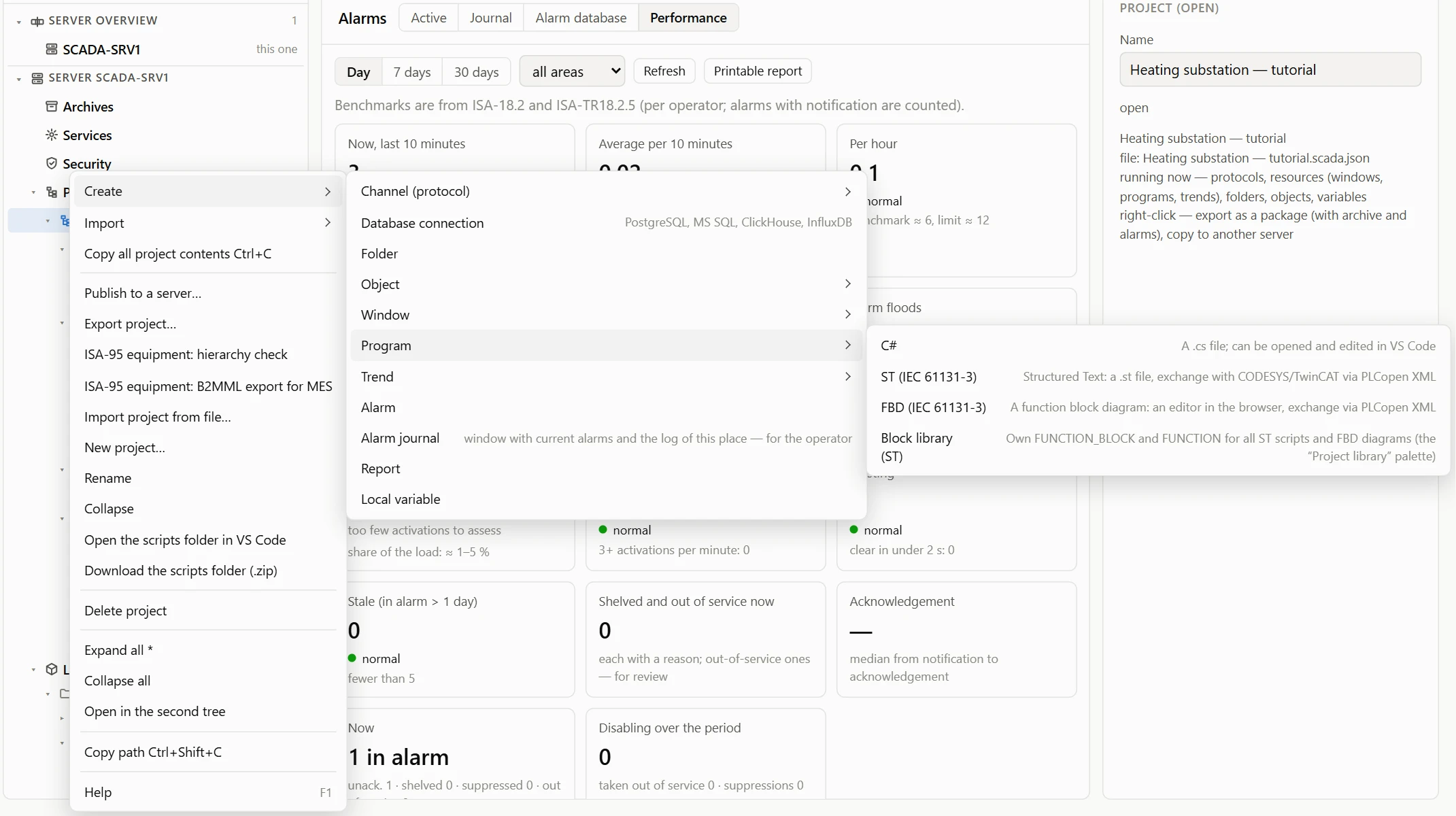
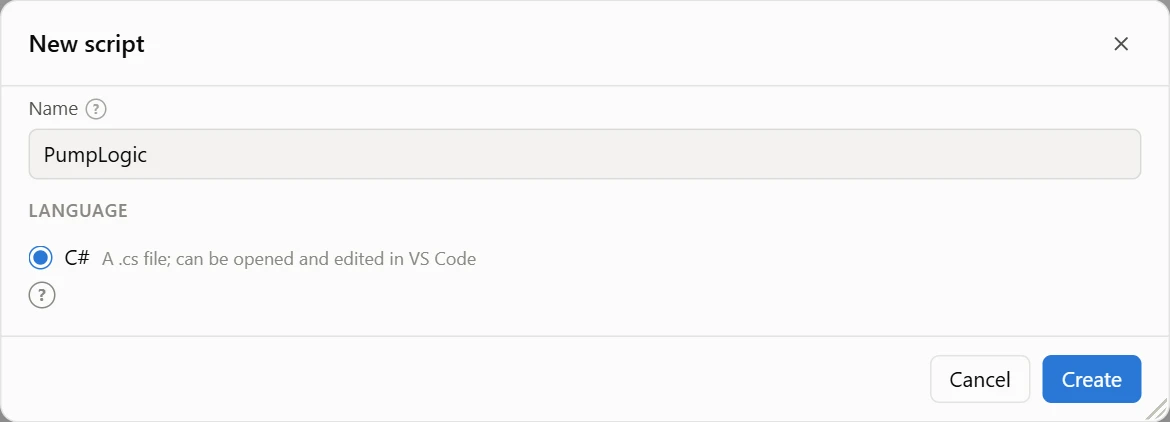
| Language | File | Used for |
|---|---|---|
| C# | .cs | any logic, calculations, strings, collections; can be opened and edited in VS Code |
| ST (IEC 61131-3) | .st | the Structured Text familiar to automation engineers; exchange with CODESYS and TwinCAT through PLCopen XML |
| FBD (IEC 61131-3) | .fbd | a function block diagram in the Flexible SCADA editor with live values on the connections |
| Block library (ST) | .st without PROGRAM | your own FUNCTION_BLOCKs and FUNCTIONs for all ST programs and FBD diagrams (the “Project library” palette) |
Editor
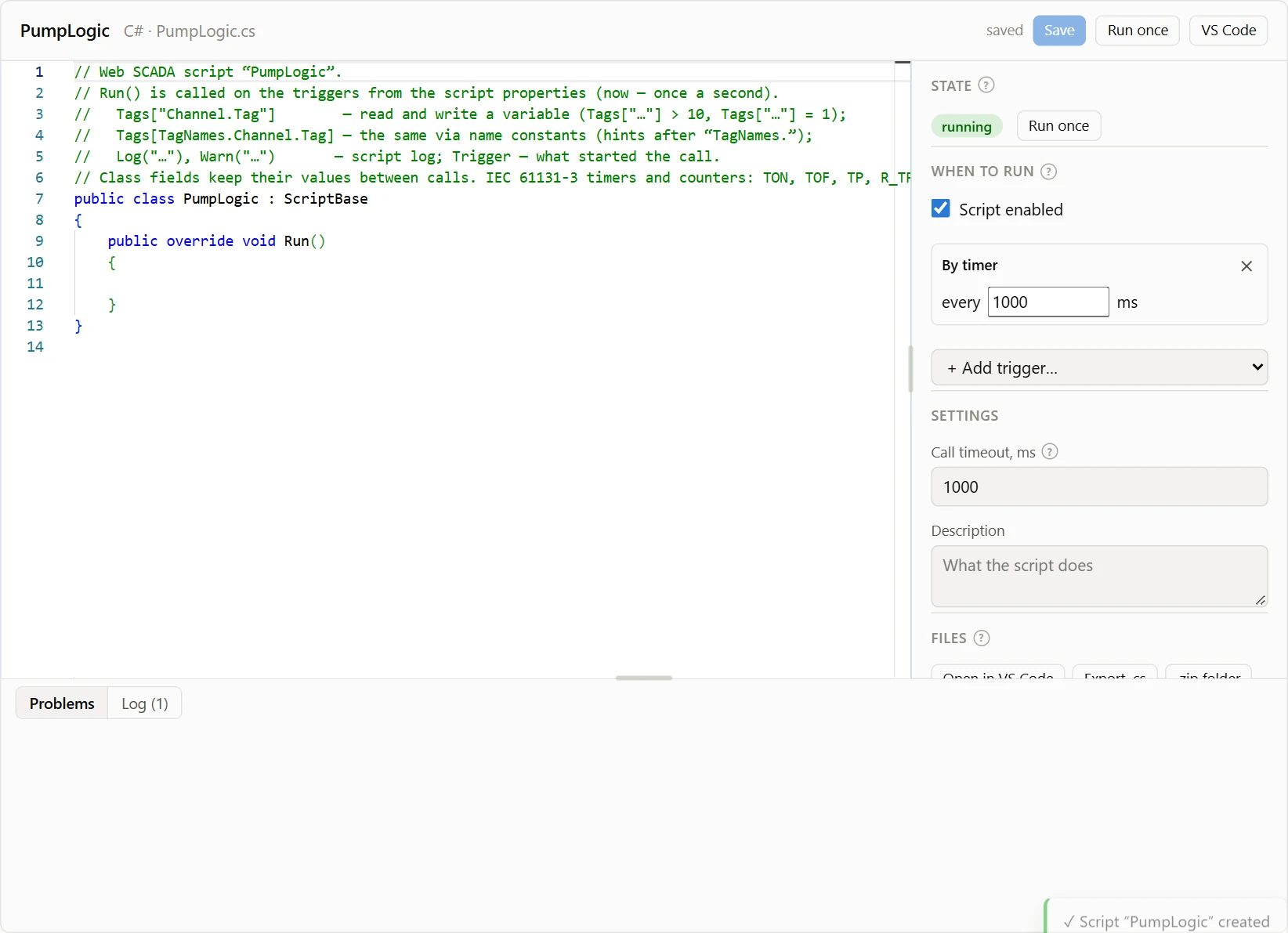
| Part | What is there |
|---|---|
| Save | saves and rebuilds the program; errors — in the “Problems” tab with the line |
| Run once | call Run() now — a check without waiting for a trigger |
| VS Code | open in VS Code (with hints for the project variables through the Flexible SCADA extension) |
| State | running, stopped, error; the time of the last call |
| When to run | enabling and triggers (see below) |
| Call timeout, ms | longer — the call is aborted with an error in the log (protection against endless loops) |
| Log | the program Log / Warn / Error messages and run-time errors |
When to run: triggers
| Trigger | Settings | When Run() is called |
|---|---|---|
| By timer | every N ms (default 1000) | periodically |
| On variable change | a list of variables | when any of them changes |
| By condition (edge) | an expression, for example SIM.P1.Fault > 0 | when the condition becomes true (rising edge) |
| On start | — | once at project start or when the program loads |
There can be several triggers; Trigger in code tells which one fired (timer, variable, condition, start or manual).
C#
public class PumpLogic : ScriptBase
{
    TON delay = new();                       // IEC 61131-3 timers: TON, TOF, TP, R_TRIG…

    public override void Run()
    {
        bool fault = Tags["SIM.P1.Fault"] > 0;   // reading a variable
        // the fault holds for 5 s — start the standby pump (writing — by assignment)
        if (delay.Update(fault, TimeSpan.FromSeconds(5))) Tags["Substation.Standby.Start"] = 1;
        if (!Tags["SIM.PT1.P"].Good) Warn("No connection to the pressure sensor");
    }
}| In code | What it is |
|---|---|
Tags["Channel.Tag"] | a project variable: a number when read, written by assignment; .Text — a string, .Good — the quality |
Tags[TagNames.Channel.Tag] | the same through name constants — with hints and a check at build time |
Tags["$Freq"] | in a type program — a variable of its own object |
Init() | called once after loading — field preparation |
Run() | the main logic — by triggers |
Log(…), Warn(…), Error(…) | messages to the program log |
Trigger | what started the call: Trigger.Kind (Cyclic, Change, Condition, Startup, Manual), Trigger.Tag |
| class fields | keep values between calls (counters, states) |
TON, TOF, TP, R_TRIG, F_TRIG, CTU… | IEC 61131-3 blocks as class fields: t.Update(IN, PT) returns Q, the PT time is a TimeSpan; or set IN, PT and call t.Call() |
ST
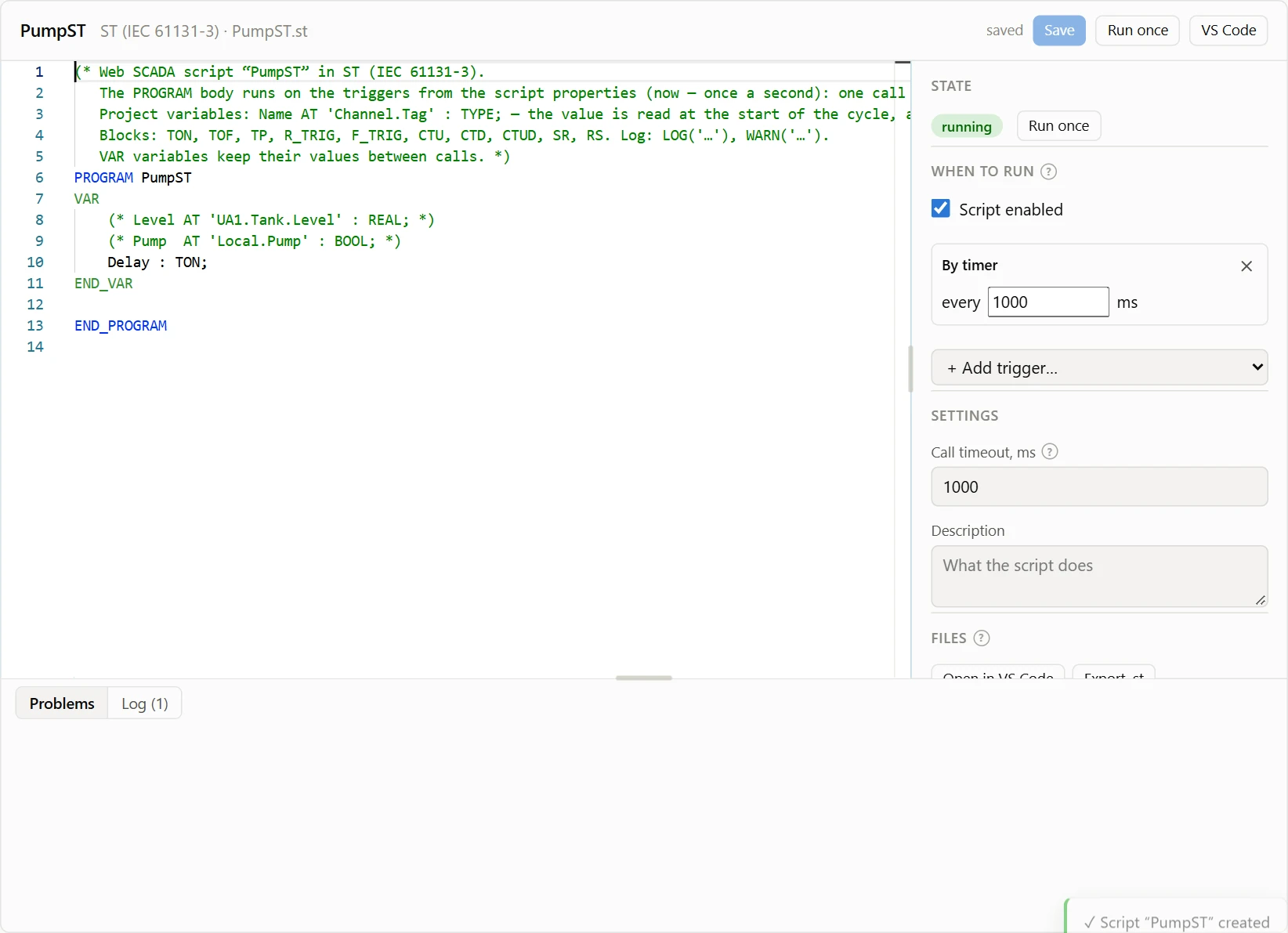
PROGRAM PumpST
VAR
    Fault AT 'SIM.P1.Fault' : BOOL;      (* binding to a project variable *)
    Reserve AT 'Substation.Standby.Start' : BOOL;
    T1 : TON;
END_VAR
T1(IN := Fault, PT := T#5s);
Reserve := T1.Q;
END_PROGRAM
A project variable is declared as Name AT 'Channel.Tag' : TYPE; — read at the start of a call, written at the end. In a type program — Level AT '$Level' : REAL;. Block instances (TON1…) in FBD are declared by themselves.
FBD
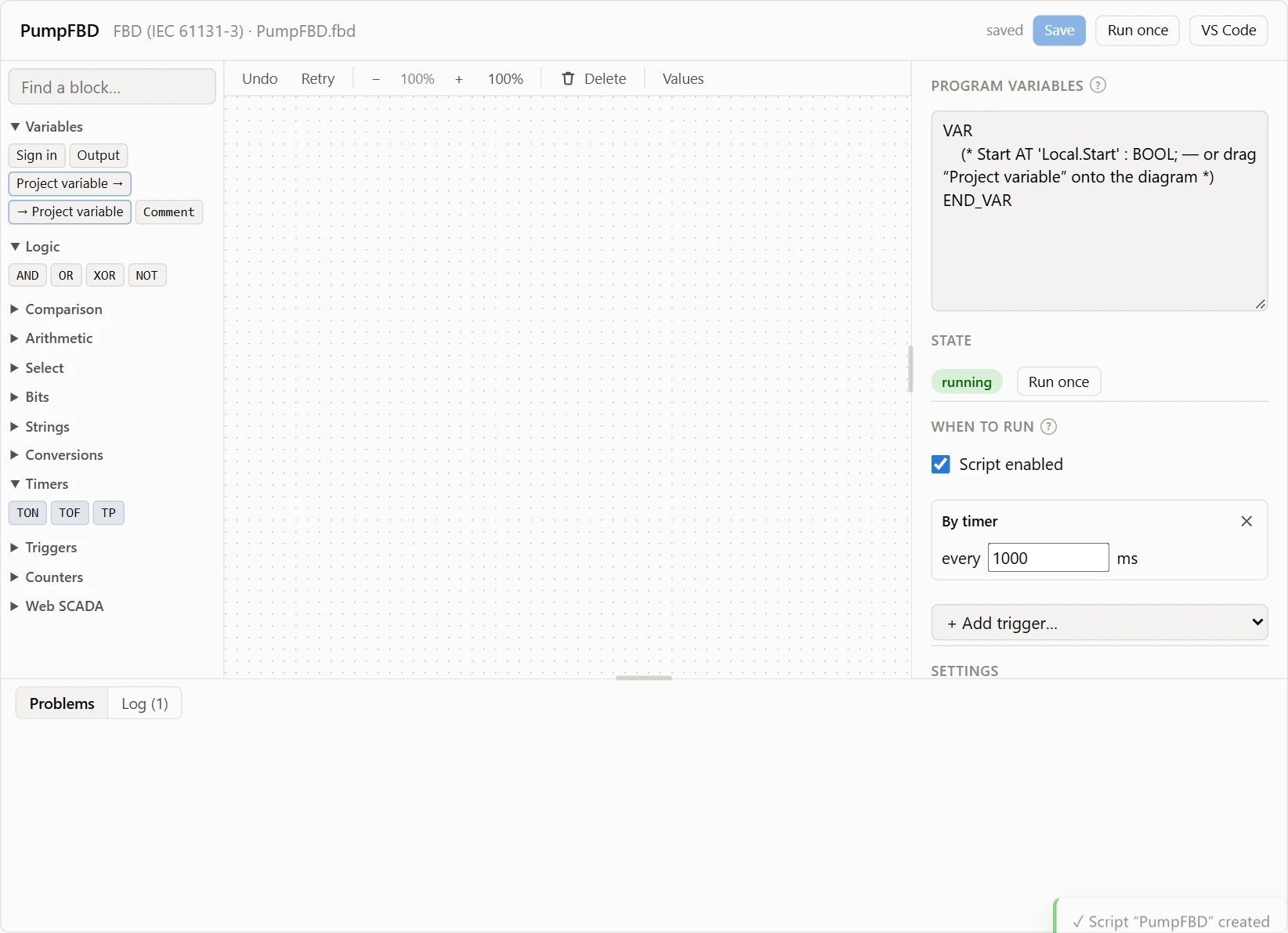
Blocks are dragged from the palette on the left and their pins are connected with wires; the diagram inputs and outputs are project variables. Running, live values are visible on the wires. The diagram is stored as PLCopen XML and opens in CODESYS.
IEC 61131-3 function blocks
| Block | What it does |
|---|---|
TON | On-delay timer: Q = TRUE when IN stays TRUE for at least PT; ET — elapsed time |
TOF | Off-delay timer: Q = TRUE with IN and for PT more after it is removed |
TP | Pulse: on an IN edge — Q = TRUE for exactly PT |
R_TRIG | Rising edge: Q = TRUE for one call when CLK became TRUE |
F_TRIG | Falling edge: Q = TRUE for one call when CLK became FALSE |
CTU | Up counter: CU edge — CV + 1; R — reset; Q = CV >= PV |
CTD | Down counter: CD edge — CV - 1; LD — load PV; Q = CV <= 0 |
CTUD | Up/down counter: CU — up, CD — down, R — reset, LD — load PV; QU = CV >= PV, QD = CV <= 0 |
SR | Set-dominant flip-flop: Q1 = S1 OR (NOT R AND Q1) |
RS | Reset-dominant flip-flop: Q1 = NOT R1 AND (S OR Q1) |
Standard functions
| Function | Call | What it does |
|---|---|---|
ABS | ABS(IN : ANY_NUM) : ANY_NUM | Absolute value |
SQRT | SQRT(IN : ANY_REAL) : ANY_REAL | Square root |
LN | LN(IN : ANY_REAL) : ANY_REAL | Natural logarithm |
LOG | LOG(IN : ANY_REAL) : ANY_REAL | Decimal logarithm |
EXP | EXP(IN : ANY_REAL) : ANY_REAL | Exponent e^IN |
SIN | SIN(IN : ANY_REAL) : ANY_REAL | Sine (radians) |
COS | COS(IN : ANY_REAL) : ANY_REAL | Cosine (radians) |
TAN | TAN(IN : ANY_REAL) : ANY_REAL | Tangent (radians) |
ASIN | ASIN(IN : ANY_REAL) : ANY_REAL | Arcsine |
ACOS | ACOS(IN : ANY_REAL) : ANY_REAL | Arccosine |
ATAN | ATAN(IN : ANY_REAL) : ANY_REAL | Arctangent |
ATAN2 | ATAN2(Y : ANY_REAL, X : ANY_REAL) : ANY_REAL | Arctangent of Y/X with the quadrant |
EXPT | EXPT(IN1 : ANY_REAL, IN2 : ANY_NUM) : ANY_REAL | Raise to power IN1^IN2 (same as **) |
TRUNC | TRUNC(IN : ANY_REAL) : DINT | Discard the fractional part |
MAX | MAX(IN1, IN2, …) : ANY_ELEMENTARY | Largest of the values |
MIN | MIN(IN1, IN2, …) : ANY_ELEMENTARY | Smallest of the values |
LIMIT | LIMIT(MN, IN, MX) : ANY_ELEMENTARY | IN, limited below by MN and above by MX |
SEL | SEL(G : BOOL, IN0, IN1) : ANY | G = FALSE — IN0, G = TRUE — IN1 |
MUX | MUX(K : ANY_INT, IN0, IN1, …) : ANY | Select an input by number K (from 0) |
MOVE | MOVE(IN) : ANY | Value of IN (assignment) |
SHL | SHL(IN : ANY_BIT, N : ANY_INT) : ANY_BIT | Shift left by N bits |
SHR | SHR(IN : ANY_BIT, N : ANY_INT) : ANY_BIT | Shift right by N bits |
ROL | ROL(IN : ANY_BIT, N : ANY_INT) : ANY_BIT | Rotate left |
ROR | ROR(IN : ANY_BIT, N : ANY_INT) : ANY_BIT | Rotate right |
LEN | LEN(IN : STRING) : INT | String length |
LEFT | LEFT(IN : STRING, L : ANY_INT) : STRING | L characters from the left |
RIGHT | RIGHT(IN : STRING, L : ANY_INT) : STRING | L characters from the right |
MID | MID(IN : STRING, L : ANY_INT, P : ANY_INT) : STRING | L characters from position P (from 1) |
CONCAT | CONCAT(IN1 : STRING, IN2 : STRING, …) : STRING | Concatenate strings |
INSERT | INSERT(IN1 : STRING, IN2 : STRING, P : ANY_INT) : STRING | Insert IN2 into IN1 after position P |
DELETE | DELETE(IN : STRING, L : ANY_INT, P : ANY_INT) : STRING | Delete L characters from position P |
REPLACE | REPLACE(IN1 : STRING, IN2 : STRING, L : ANY_INT, P : ANY_INT) : STRING | Replace L characters from position P with IN2 |
FIND | FIND(IN1 : STRING, IN2 : STRING) : INT | Position of IN2 in IN1 (from 1; 0 — none) |
LOWER_BOUND | LOWER_BOUND(ARR, DIM : ANY_INT) : DINT | Lower bound of an array dimension |
UPPER_BOUND | UPPER_BOUND(ARR, DIM : ANY_INT) : DINT | Upper bound of an array dimension |
Flexible SCADA functions (ST, FBD)
| Function | Call | What it does |
|---|---|---|
LOG | LOG(MSG : STRING) | message to the script log (with a STRING argument; with a number — decimal logarithm) |
WARN | WARN(MSG : STRING) | warning to the script log |
READ_REAL | READ_REAL(NAME : STRING) : LREAL | value of a project variable by name (the name can be computed) |
READ_BOOL | READ_BOOL(NAME : STRING) : BOOL | value of a project variable as BOOL |
READ_STRING | READ_STRING(NAME : STRING) : STRING | value of a project variable as a string |
TAG_GOOD | TAG_GOOD(NAME : STRING) : BOOL | project variable quality is good (connected, the value is reliable) |
WRITE_TAG | WRITE_TAG(NAME : STRING, VALUE : ANY) | write a value to a project variable by name |
Programs run on the server: one slow call does not disturb the others — every program has its own execution thread and timeout. An error in one program does not stop the others.